This guide covers every FireStick model — Lite, HD, 4K, 4K Max, Fire TV Cube, and Fire TV Omni. The process is the same across all of them, with one small difference for the Cube noted where it applies.
Norofire is the official installer for StreamFire and SportsFire. Amazon blocked StreamFire from its store, so the developers built Norofire as the fix. You install Norofire first, then use it to install StreamFire or SportsFire. The whole process takes about 5 minutes and you only need to do the setup steps once.
You need: a FireStick or Fire TV device with an Amazon account, a stable internet connection, and the Downloader app (free from the Amazon Appstore). That's it — no computer, no USB drive needed.
From the Fire TV home screen, move to the top navigation bar and select Settings (the gear icon on the far right).
Scroll through the Settings options and select My Fire TV. On older Fire TV models this may appear as Device.
Select Developer Options. If you don't see it, you may need to tap "About" and then click the Fire TV model name 7 times to unlock developer mode first.
Inside Developer Options, find Install Unknown Apps (sometimes shown as "Apps from Unknown Sources") and set it to ON. Also enable ADB Debugging while you're here.
On some newer FireStick firmware, "Unknown Sources" is no longer a single global toggle. Instead, you enable it per-app — you'll come back to enable it specifically for the Downloader app in a later step.

Go back to the Fire TV home screen, press the search/microphone button on your remote, and say or type "Downloader".
The first result should be Downloader by AFTVnews (orange icon). Select it and tap Download/Install. It's free.
Don't have Downloader yet? Open aftv.news/2916527 in your TV browser to install it directly — no code needed.
After installing, open Downloader. The first time it runs, FireStick may ask if you want to allow Downloader to install apps from unknown sources. Select Settings and toggle it ON for Downloader specifically, then go back.
Launch the Downloader app. You'll see a URL/code input field on the home screen.
Type 2916527 into the input field and tap Go. Downloader will connect to the Norofire server and start downloading the APK automatically.
The Norofire APK is small — it downloads in 10 to 30 seconds depending on your connection speed. A progress bar shows in the Downloader app.
The Norofire downloader code for FireStick is 2916527. Write this down or bookmark this page before you switch to your TV.
After the download completes, Downloader shows an install prompt. Select Install and wait a few seconds.
Norofire will not appear in your main app row. To open it, tap your profile icon on the home screen → Settings → Manage Installed Applications → scroll to find Norofire.
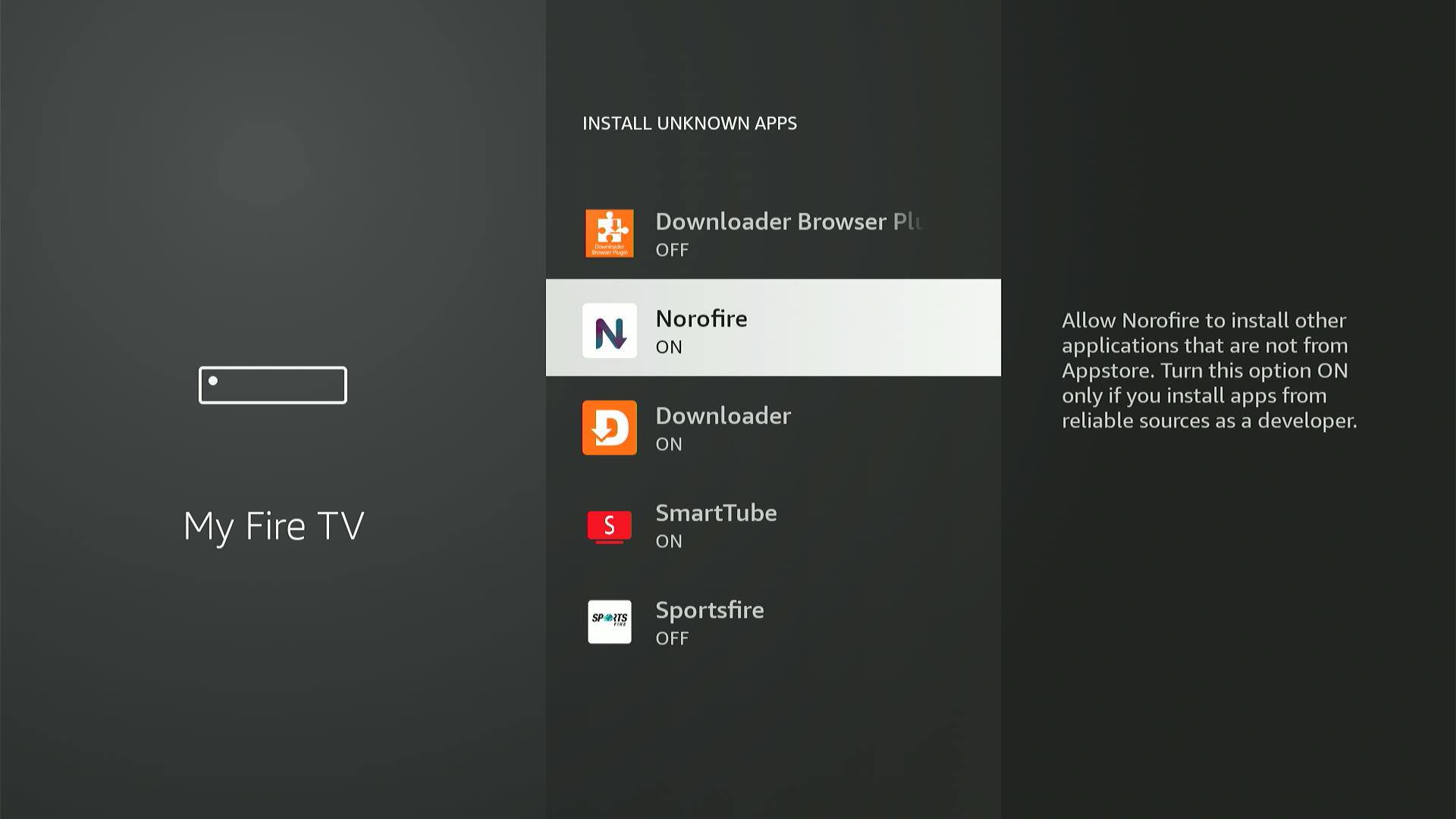
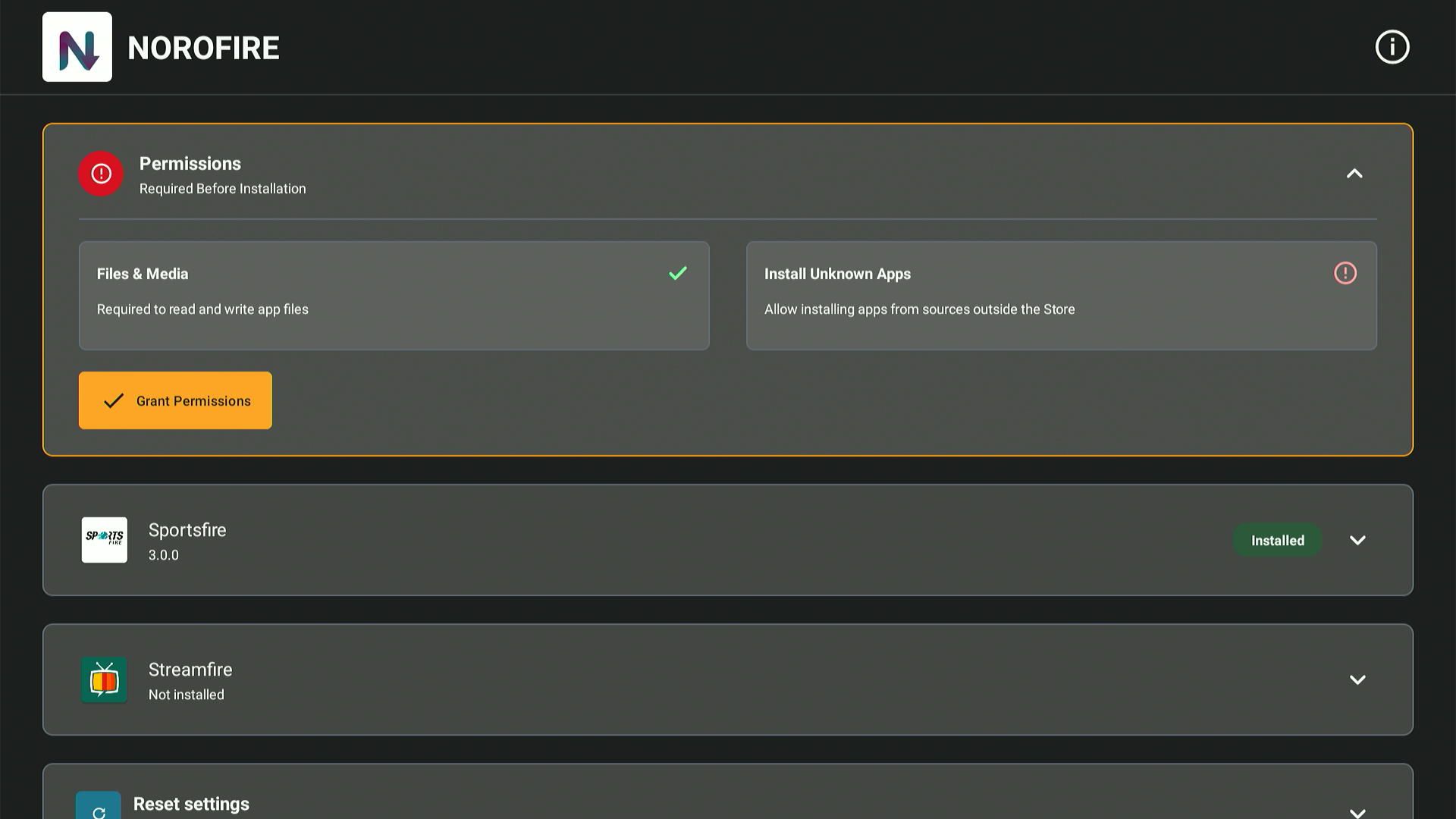
Open Norofire. It will show a Permissions screen. Tap Grant Permissions and specifically enable "Install Unknown Apps" for Norofire. This is what allows it to install StreamFire and SportsFire.
Norofire's main screen shows SportsFire and StreamFire. Tap either one to see the current version and an Install button.
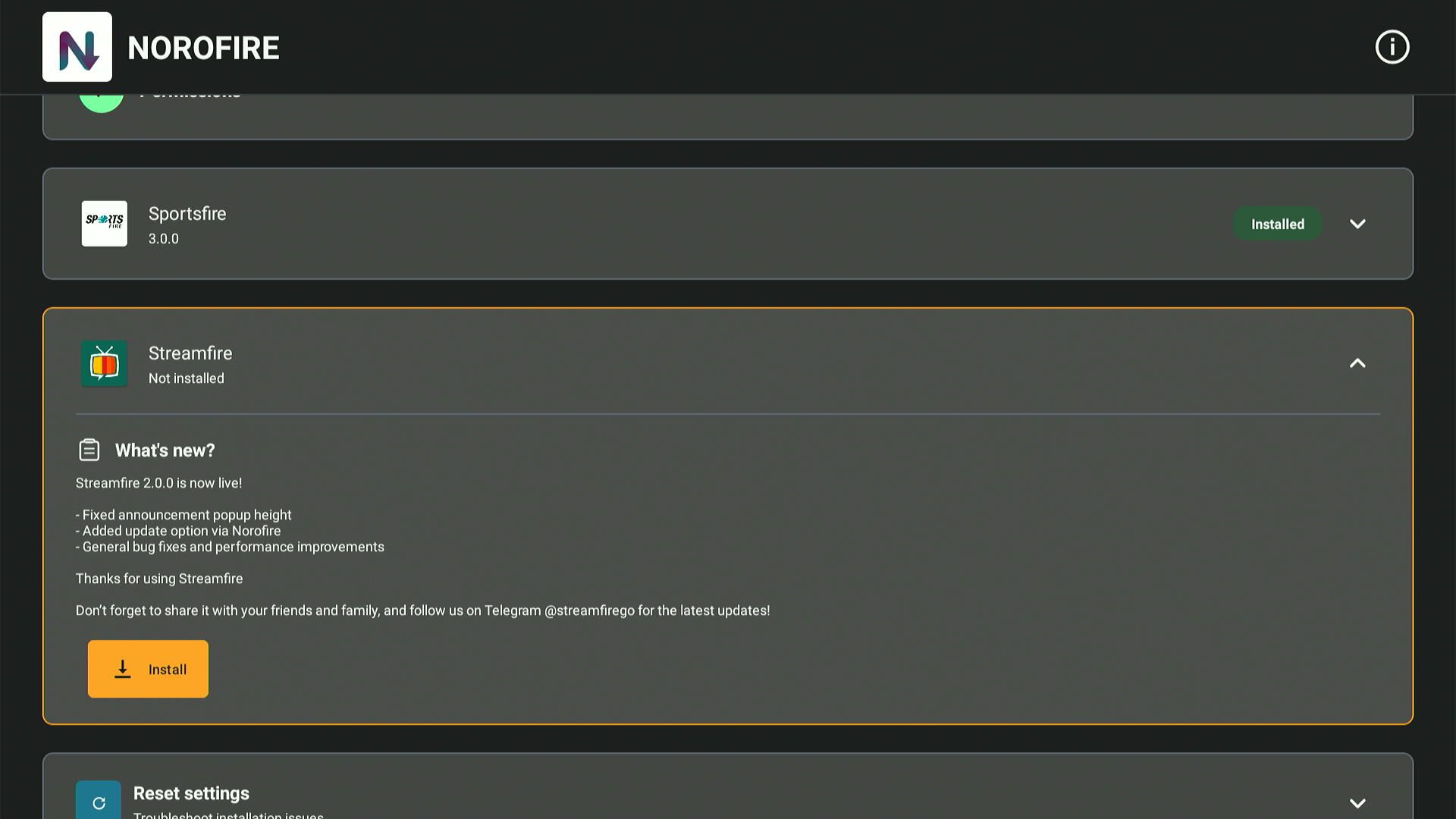
Press the Install button. Norofire downloads the latest working APK for that app and installs it automatically. You don't need to go back to Downloader.
Once installed, SportsFire or StreamFire appears in your FireStick app list. Open it and enter your streaming credentials.
If you already have an older version of SportsFire or StreamFire, you must uninstall it first. Go to Manage Installed Applications, find the app, and remove it before running Norofire. Installing over an old version will fail every time.
Make sure you have a working internet connection and that you're entering exactly 2916527 with no extra spaces. If it still fails, try using the direct URL method instead — enter the full URL that the Norofire team publishes on their official channels.
FireStick hides sideloaded apps. Go to the home screen, tap your profile icon (top right), then Settings, then Manage Installed Applications. Scroll through that list to find Norofire.
This almost always means an older version of the same app is still installed. Go to Manage Installed Applications, find SportsFire or StreamFire (whichever you're trying to install), and uninstall it. Then retry in Norofire.
You need to specifically allow Norofire to install unknown apps — not just enable the global toggle. Open the Permissions section inside Norofire, tap "Install Unknown Apps," and it will take you to the FireStick permission settings where you can enable it for Norofire specifically.