Norofire is a free installer app built specifically to download, install, and update StreamFire and SportsFire on your FireStick, Android TV box, or Google TV device — even after Amazon blocked them from the store.
Free to install · Works on FireStick, Fire TV, Android TV & Google TV · Updated 2026
StreamFire was one of the most popular live TV apps on FireStick — until Amazon blocked it. The developers behind SportsFire (same team) built Norofire as the fix. It's a small installer app that bypasses the block and gets both apps onto your device in minutes.
The quickest way to install Norofire on a FireStick or Android TV box is through the Downloader app. You don't need a computer, a USB drive, or any technical know-how.

Here's what Norofire looks like on a FireStick. The interface is clean — grant permissions, pick your app, and you're done.
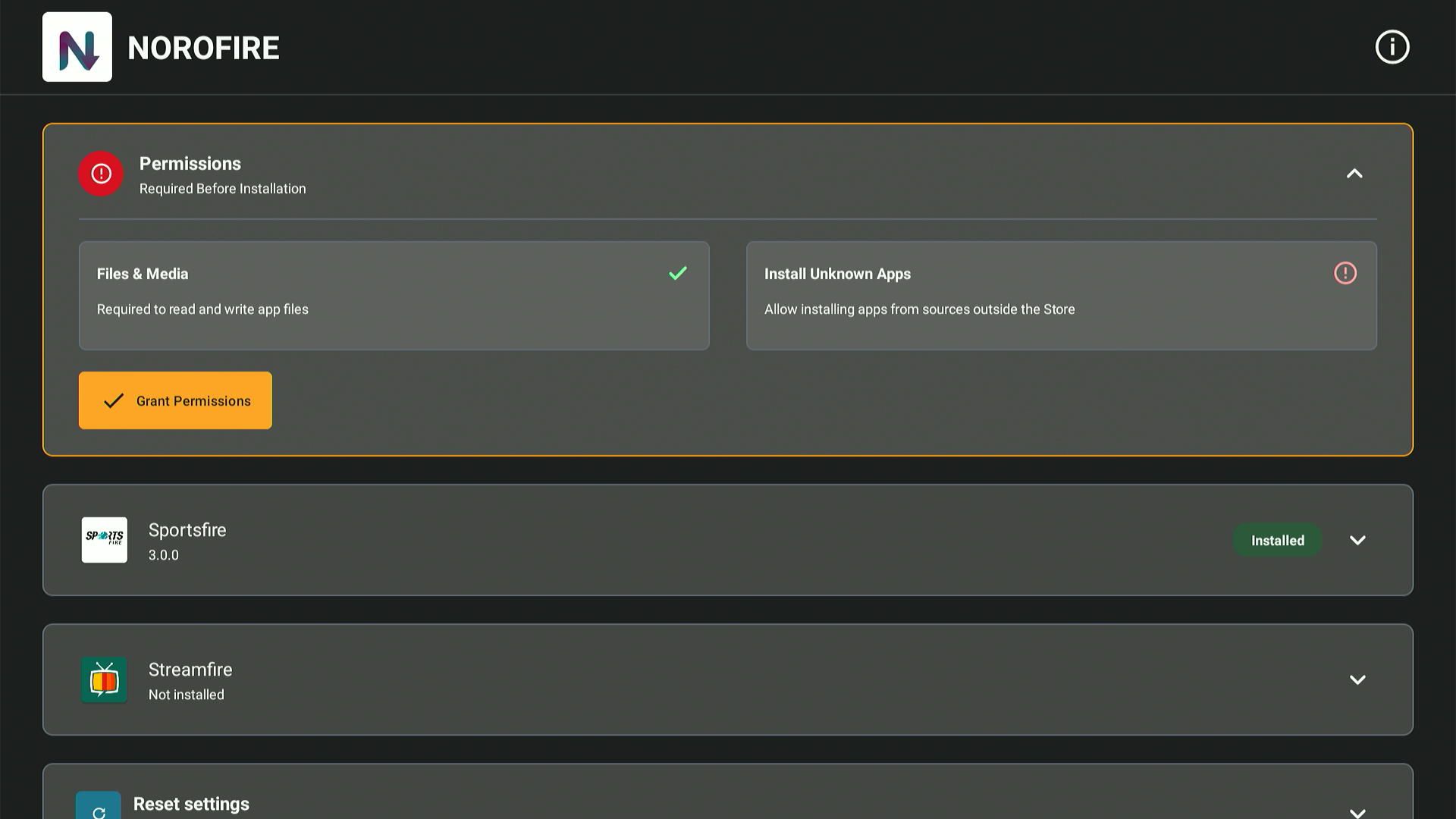
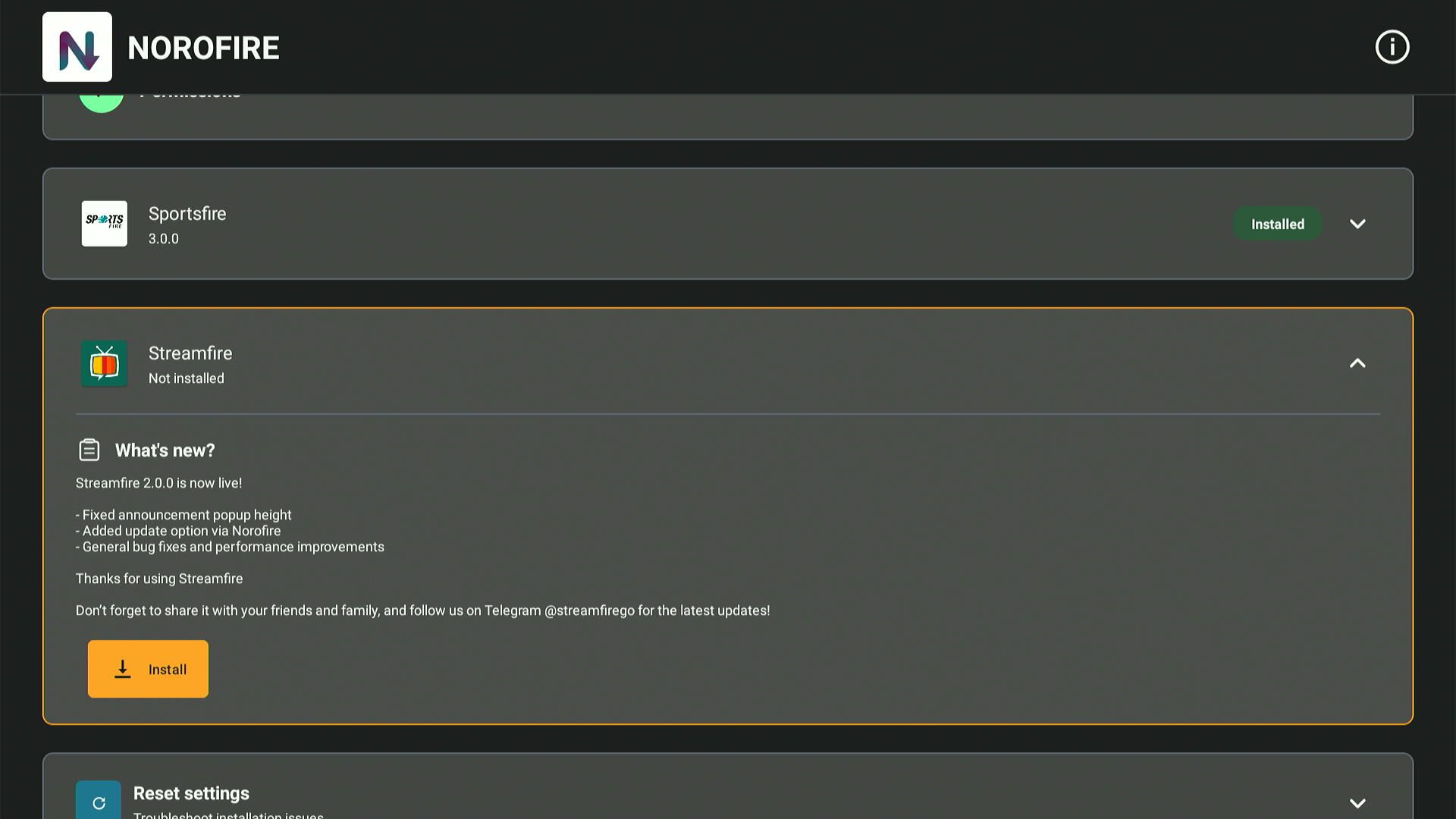
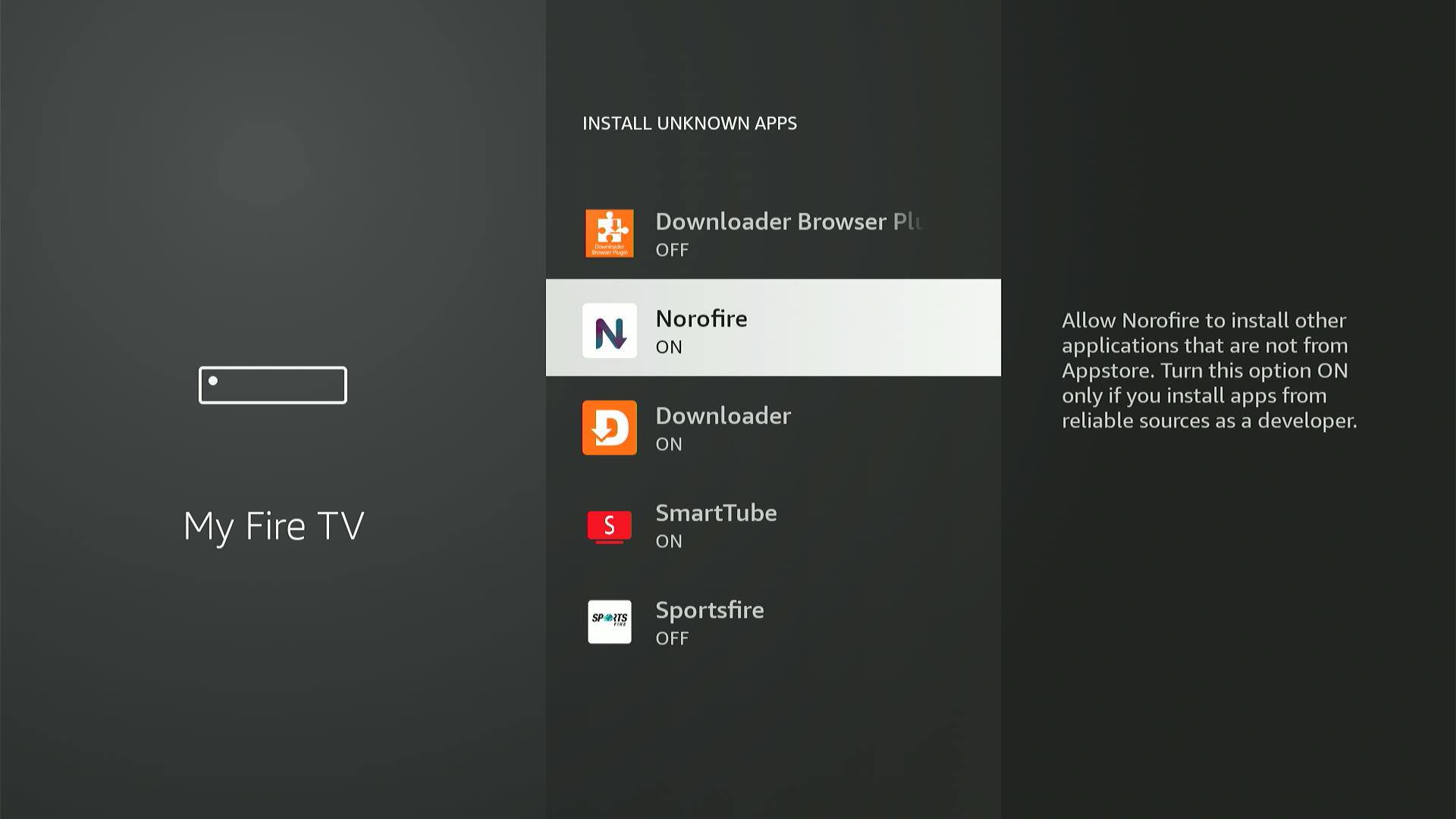
The install process is slightly different depending on your device. Pick yours below for a guide written specifically for it.
Covers all FireStick models (Lite, HD, 4K, Max) and Fire TV Cube. Uses the Downloader app method with the Norofire code.
FireStick GuideWorks on NVIDIA Shield, Xiaomi Mi Box, Mecool, and any Android TV box. Slightly different settings path than FireStick.
Android TV GuideChromecast with Google TV, Sony Bravia, TCL Google TV. Requires disabling Play Protect — then SportsFire and StreamFire install directly.
Google TV GuideSame process as FireStick but the settings path is slightly different. Uses the Norofire downloader code method.
Fire TV Cube GuideClick your device to expand the step-by-step instructions.
If you already have an older version of SportsFire or StreamFire installed, uninstall it first — otherwise the update will fail.
The exact Settings path varies by box brand. On NVIDIA Shield it's under Settings → Device Preferences. On Xiaomi Mi Box it's under Settings → More Settings.
On Google TV and standard Android TV, turning off Play Protect stops the OS from blocking the installation. Re-enable it afterward if you want extra security for other apps.
Most install problems come down to one of these four things being missed.
The questions that come up the most, answered directly.
Norofire is a free installer app made by the developers of SportsFire and StreamFire. After Amazon blocked StreamFire from its store, they built Norofire as a way to deliver updated APKs directly to users. You install Norofire once, and then use it to install or update SportsFire and StreamFire. It doesn't provide any streaming content itself.
The Norofire downloader code is 2916527. Enter this in the Downloader app (by AFTVnews) on your FireStick or Android TV box to download and install Norofire. If you don't have the Downloader app yet, open aftv.news/2916527 in your TV browser to install it directly.
FireStick doesn't show sideloaded apps in the main launcher row. To find Norofire, tap your profile icon on the Fire TV home screen, go to Settings, then Manage Installed Applications. Scroll through the list to find Norofire and open it from there.
Yes. If you have an older version of either app on your device, uninstall it first. Trying to install a new version on top of an older one almost always fails. Once the old version is removed, Norofire will install the latest working version without issues. You can find and remove the old versions through the same Manage Installed Applications path.
Norofire is made by the same team behind SportsFire and StreamFire. It's not a random third-party tool — it's the official installer the developers themselves created and distribute. Like any sideloaded app, you're trusting the developer. Given that Norofire comes directly from the SportsFire/StreamFire team and the code is shown publicly on their own channels, it's as legitimate as it gets for this type of installer.
Yes, but Google TV and Android TV devices have a slightly different process. You need to turn off Play Protect in your Google Play settings first. After that, you can install StreamFire and SportsFire directly. The full Norofire method also works on Google TV if you prefer that route. See the Google TV guide for the exact steps.
Both apps are from the same developers and have a similar interface. StreamFire focuses on live TV channels — news, sports, entertainment, and kids — mainly for the US, UK, and Canada. SportsFire has a bigger focus on live sports content. Norofire installs and manages both, so you can have either or both on your device.
Yes, as long as the device runs Android or Android TV, Norofire will work. This includes Mecool boxes, Xiaomi Mi Box, BuzzTV, Formuler boxes running Android, and most generic Chinese TV boxes. The install process is the same as the Android TV guide. Norofire does not run on Kodi itself — it installs on the device's operating system, not inside Kodi.
Use the Norofire downloader code and you'll have both apps installed in under five minutes.